Power BI Connector Pro Early access
Your Shopify numbers in Power BI, updated every day
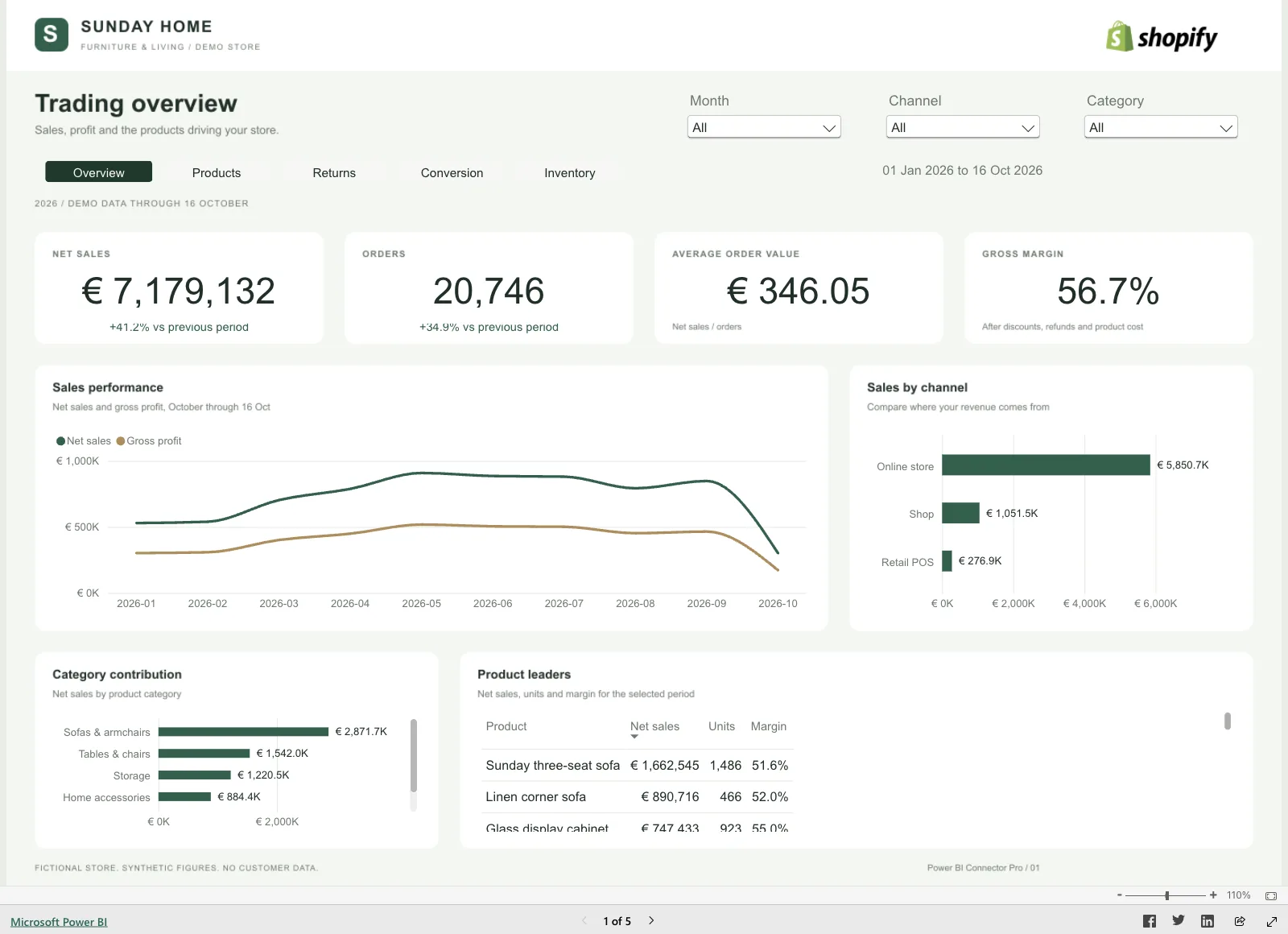
Your store runs on Shopify and your reports live in Power BI. Power BI Connector Pro gets the Shopify data you pick ready for your report, with a report starter for sales, returns, conversion and stock.
An app by Newcraft. From $29 per month, with a 7-day free trial.
The same export every Monday
Shopify has reports, but your management report is in Power BI. So someone exports orders to CSV, pastes them into Excel and lines them up with stock and returns. Next week it starts again.
- Last week's export is already out of date today.
- Returns, stock and conversion sit on different screens in Shopify.
- The extra fields you use on products and orders are missing from the standard export.
What you can show in Power BI
You choose in Shopify which tables and fields to include. The report starter gives you linked tables, calculations and report pages for that selection.
Sales by product and variant
Work with orders, order lines, discounts, refunds and payment information.
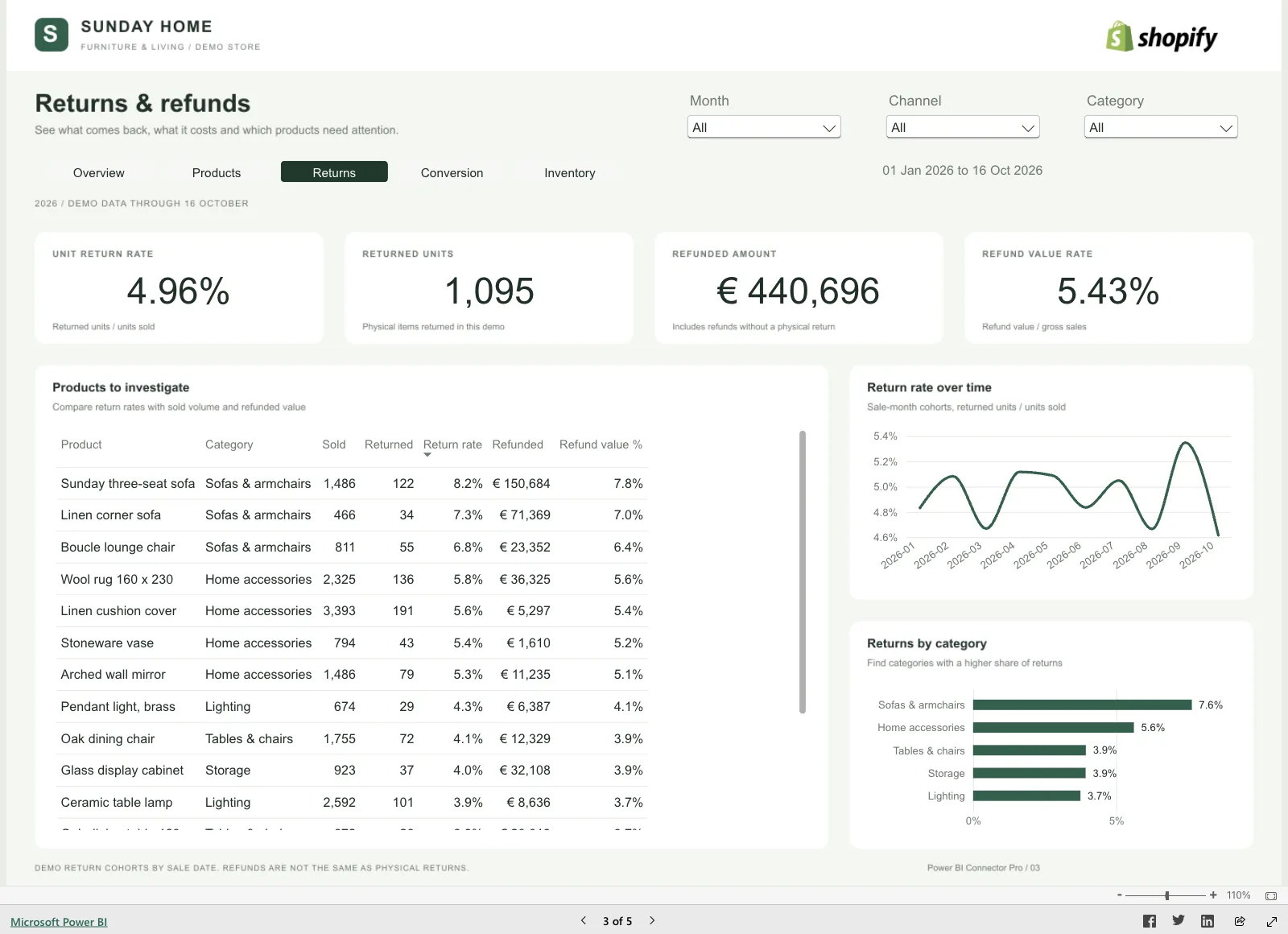
Returns and return reasons
Compare requested, processed and refunded quantities, with the linked order and the return reason.
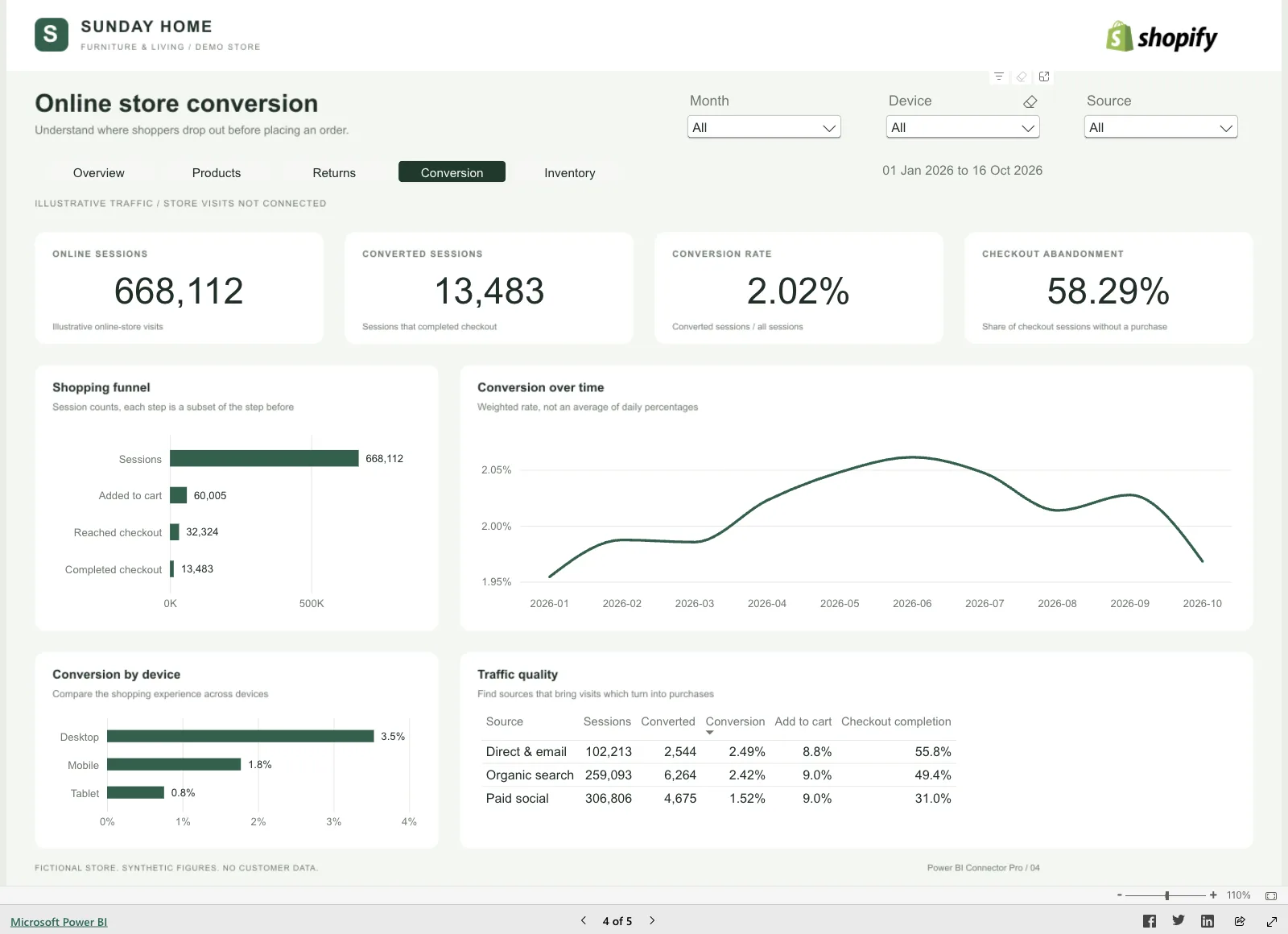
Daily conversion
Follow visits, adds to cart, checkout starts and completed checkouts by device and traffic source.
Current stock
Report on inventory by product, variant and location.
Your custom fields
Include the extra fields you use on products, variants and orders.
Your own database too
On Professional and Plus, the connector also delivers your selected tables to a PostgreSQL database you control.
What it looks like
How it works
-
Request access
Tell Newcraft which Shopify data you report on and whether you want Power BI alone or your own database as well. Then install the app in your Shopify store.
-
Pick your tables and fields
Tick the data you want in the app. Preview the latest rows of each table and download them as CSV or JSON when you want to check what goes into your report.
-
Connect Power BI
Download the connection file or paste the export URL into Power BI. Each export gets its own username and password, so Power BI never needs your Shopify login.
-
Let it update
With automatic updates on, the connector follows changes and runs a daily check at the time you choose. You set the refresh schedule in Power BI.
Where your data lives
You choose which Shopify data the connector collects. Only that selection ends up in your report.
- Only what you tick
- The connector stores the store data you select, so Power BI can read the latest completed update.
- A login per export
- Power BI reads the export with that export's own username and password. Your Shopify password stays with you.
- A failed update keeps your report
- If a connector update fails, the previous completed data stays available to Power BI.
- A copy you control
- On Professional and Plus, a copy also goes to your own PostgreSQL database. After each completed update, the connector replaces its own tables there. Keep long-term history in your own separate tables.
Pricing
Choose a plan by the number of orders your store receives each month. Every plan includes the Power BI connection, report starter, previews and CSV or JSON downloads.
-
Starter
$29 per month
$290 per year
- Up to 1,000 orders per month
- Power BI connection and report starter
- CSV or JSON downloads
-
Professional
$79 per month
$790 per year
- Up to 10,000 orders per month
- Power BI connection and report starter
- 1 PostgreSQL database
-
Plus
$199 per month
$1,990 per year
- Unlimited monthly orders
- Power BI connection and report starter
- 3 PostgreSQL databases
- Prices in US dollars. Every plan starts with a 7-day free trial.
- Test orders are excluded. Cancelled and refunded orders count. Historical imports and extra reports do not count an order again.
- Every plan supports up to one million current rows per store and 5 GB per update. You can start four manual updates per store in 24 hours. Automatic updates do not use that allowance.
Where Power BI Connector Pro stands
Power BI Connector Pro is an app by Newcraft. It is opening access ahead of its public Shopify App Store release. You request access on newcraft.dev. Order imports currently cover the last 59 days. Access to older orders is awaiting Shopify approval.
- Price
- From $29 per month
- Works with
- Shopify and Power BI
- Shopify App Store
- Early access
- App languages
- English, Dutch
Frequently asked questions
What do I need to get started?
A Shopify store and Power BI. Your Microsoft license determines your sharing and refresh options in Power BI.
Does it work in Power BI in the browser?
Yes. Imports and scheduled refresh in Power BI Service have been verified. The downloadable report starter is intended for Power BI Desktop on Windows.
How often are my numbers updated?
With automatic updates on, the connector follows changes to your selected data and runs a daily check at the time you set. Visitor and conversion totals update daily. Power BI reads the latest completed update when you refresh.
How far back does order history go?
Order imports currently cover the last 59 days. Access to older orders is awaiting Shopify approval.
How are monthly orders counted?
You count the orders your store receives in a calendar month, in your store's time zone. Test orders are excluded. Cancelled and refunded orders count.
Can I send the data to my own database?
Yes, on Professional (1 PostgreSQL database) and Plus (3). The connector replaces its own tables after each completed update.
Which languages does the app support?
The app in Shopify works in English and Dutch.
Why is this app on Advisign?
Advisign builds apps around Microsoft 365. Power BI Connector Pro is made by Newcraft, which builds apps for Shopify. You request access and get support on newcraft.dev.