A Planner calendar across multiple plans, now that the Outlook feed is gone
Planner's Schedule view works per plan, and the feed that put plans in your Outlook calendar was switched off in early 2026. Here's how to get one calendar with tasks from all your plans.
For years this was the trick: publish an iCalendar feed for each Planner plan and add it to Outlook. Due dates from all your plans then sat next to your meetings. That route no longer exists.
The Outlook feed was switched off
Between mid-January and mid-February 2026, Microsoft retired Planner’s iCalendar feed without a replacement. Message Center post MC1193421 announced it. You can’t create new feeds, and existing subscriptions in Outlook show nothing.
On Microsoft Q&A, people report that the button to add a plan to Outlook is sometimes still visible. Clicking it ends in a “Publish was unsuccessful” message. If your calendar feed disappeared, your settings aren’t the problem.
What Planner still offers
Schedule, per plan. Every basic plan has a Schedule view that shows its tasks in a week or month calendar. Fine for one team, and you only ever see one plan.
My Day and My Tasks. My Day shows what’s due today and clears every night. My Tasks collects the tasks assigned to you across plans. Both are about your own work.
Premium. From Planner Plan 1 ($10 per user per month in the US) premium plans get a Calendar view. It also works per plan.
One calendar across all your plans
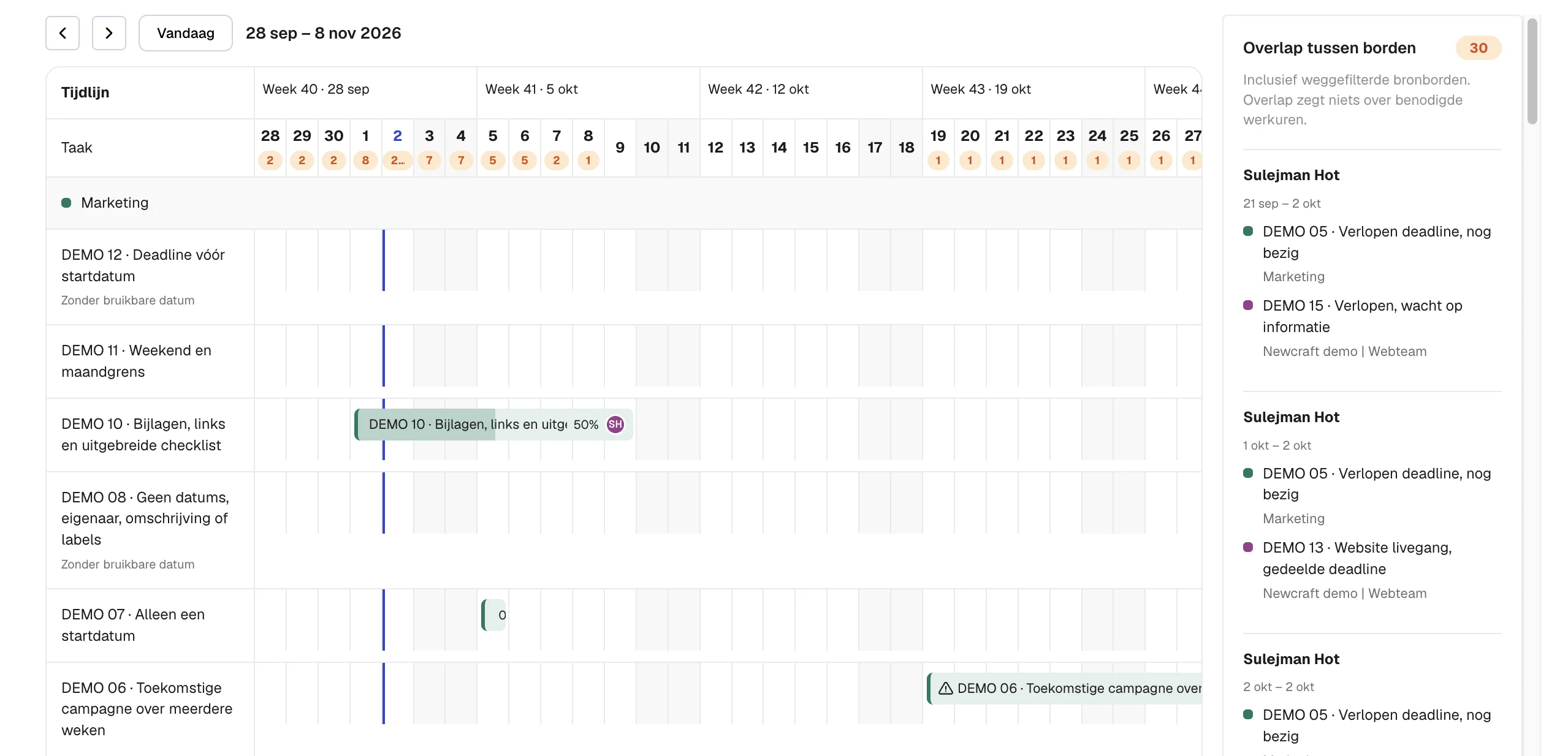
In Heliview you put the plans that belong together into one view and open the calendar. You switch between week and month. Each row is a source plan, so you see which team has what.
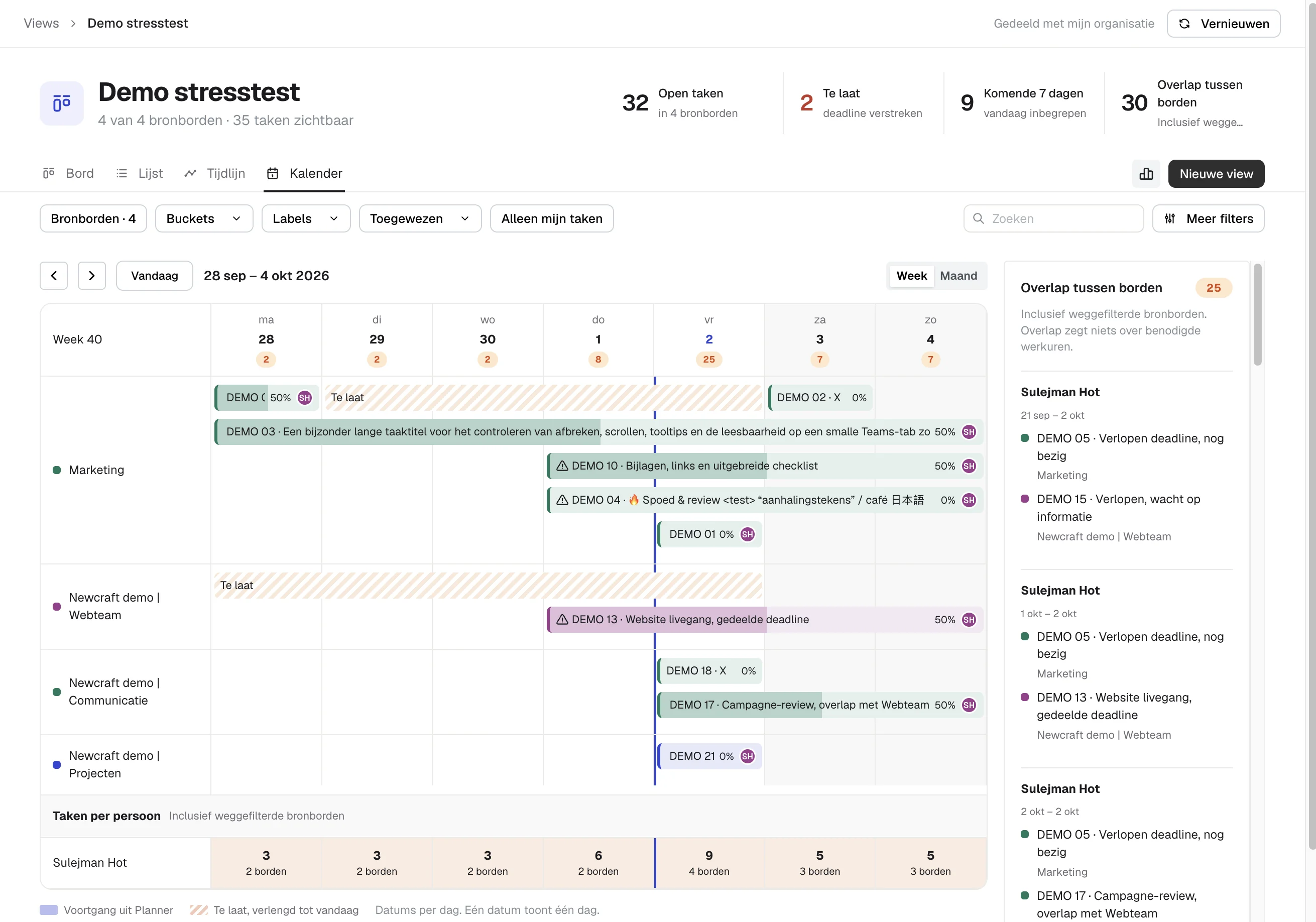
What you get on top:
- A count per day, so busy days stand out.
- The number of tasks per person per day at the bottom, and across how many plans they’re spread.
- The overlap panel on the right, listing who has work on several plans in the same period.
- The same filters as the other views, such as plan, bucket, label and assignee.
Want to look further ahead than one week? Switch to the timeline.
Heliview runs in the browser and as a tab in a Teams channel. Pin the calendar view as a tab in your team’s channel and everyone looks at the same week.
Looking for one person’s tasks instead? Read how to see all tasks assigned to someone across Planner plans.
Sources
- Message Center MC1193421, announcement of the iCalendar feed retirement
- Planner: unable to add plan to Outlook calendar, Microsoft Q&A
- Manage your tasks with My Tasks and My Day, Microsoft Support
- Microsoft Planner plans and pricing, Microsoft