How to see all tasks assigned to someone across Planner plans
Planner shows your own tasks across every plan, but not a colleague's. Here's how to see what one person has on all their Planner plans, with and without an extra app.
A colleague calls in sick and you need to know what’s open on their plate. Or you’re handing out new work and want to know how full someone already is. In Planner, that’s harder than it sounds.
What Planner shows you
Planner has My Tasks. Under “Assigned to me” you get every task assigned to you from basic plans, premium plans, Loop, To Do and Teams meeting notes in one list. It works well, for yourself.
There is no equivalent screen for anyone else. On the Microsoft Tech Community, a Microsoft contributor confirms there’s no option to see all tasks from all plans for one user. You can filter by person, but only inside one plan at a time.
The manual way
Without extra tools, it goes like this:
- Open the first plan in Planner or Teams.
- Filter by assignee and pick your colleague.
- Write down their tasks and open the next plan.
With three plans that’s five minutes. With twelve plans across four teams it takes half an hour, and you also need to know which plans they’re in.
The Charts view is another route. Its members chart shows how many tasks each person has in that plan. Useful for one team, and again one plan at a time.
With a view across every plan
In Heliview you create one view with all your teams’ plans in it. Then you pick the person under Assigned. You see their tasks from every plan together, as a board, a list, a timeline or a calendar. Each card shows which plan and bucket it comes from.
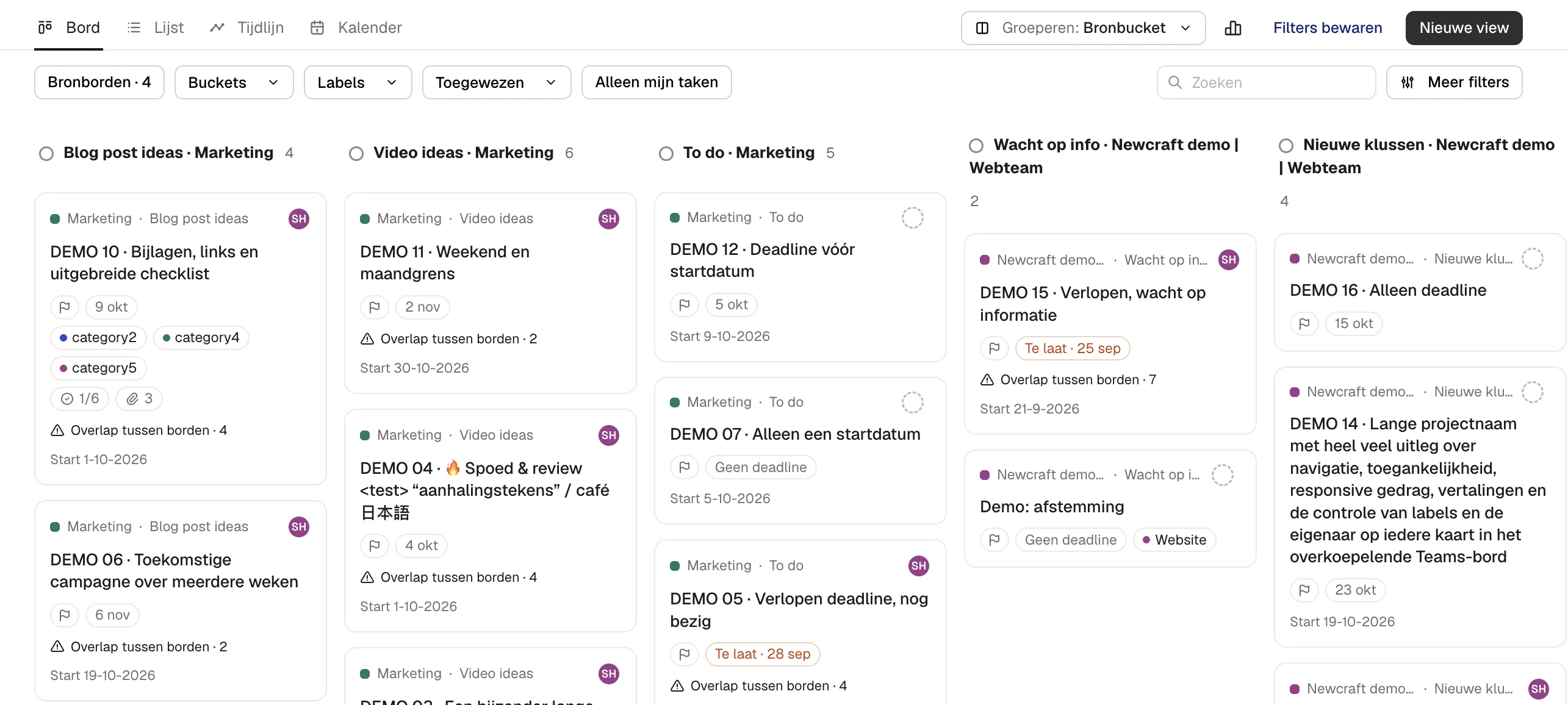
Filters are saved per view. Make a view called “Handover Maria” and open it later with the same filters. You can share a link to that view in Teams or by email.
What you can and can’t see
Heliview uses your own Planner permissions. You see your colleague’s tasks in the plans you have access to yourself. If they’re in a plan you’re not a member of, those tasks stay hidden. That’s on purpose: a shared view gives nobody extra access.
Prefer a calendar? Read a Planner calendar across multiple plans. Want one plan that holds everything? See how to build a master plan from all your Planner plans.
Sources
- Manage your tasks with My Tasks and My Day, Microsoft Support
- How can I see all tasks assigned to a team member across all plans?, Microsoft Tech Community
- View charts of your plan’s progress, Microsoft Support