Planner vs Planner Premium: what each license gets you
Basic Planner comes with Microsoft 365. Plan 1 costs $10 and Plan 3 $30 per user per month. Compare views, dependencies and portfolios, and see when to upgrade.
Microsoft Planner comes in three versions. Basic Planner is included in your Microsoft 365 subscription. Planner Premium means one of two paid licenses on top: Planner Plan 1 at $10 or Planner and Project Plan 3 at $30 per user per month. If you mainly want one overview of your team plans, Heliview combines basic Planner plans in one view without a premium license per user.
Planner vs Planner Premium at a glance
| Basic Planner | Planner Plan 1 | Planner and Project Plan 3 | |
|---|---|---|---|
| Price per user per month | Included in Microsoft 365 | $10 | $30 |
| Views | Grid, board, schedule, charts | Plus timeline (Gantt), calendar and People | Plus Assignments |
| Subtasks and dependencies | No | Yes | Yes, including lead and lag |
| Sprints and backlog | No | Yes | Yes |
| Goals and milestones | No | Yes | Yes |
| Custom fields | No | Up to 10 | Yes |
| Portfolios | No | View only | Create and edit |
| Task history, baselines, critical path | No | No | Yes |
| Project desktop app | No | No | Yes |
US list prices, paid yearly, October 2026. Planner and Project Plan 5 no longer appears on Microsoft’s pricing page. Copilot in Planner needs a separate Microsoft 365 Copilot license.
What changed in basic Planner in 2026
Early in 2026, Microsoft retired a few parts of basic Planner. The one many teams notice: the feed that showed a plan as a calendar in Outlook. You can’t create new feeds, and existing subscriptions show nothing. A Planner calendar across multiple plans covers what you can do instead.
When Planner Premium makes sense
Premium is built for project planning. If tasks depend on each other, you want a Gantt chart with a critical path or your team works in sprints, basic Planner won’t take you far. For a project manager who plans the work, Plan 1 or Plan 3 is a logical step.
When you can skip the upgrade
Many organizations look at Premium for another reason. They want an overview across several team plans: a timeline, a calendar, one colleague’s tasks across all plans. A per-user license is an expensive way to get that, because everyone who wants to look needs one. A portfolio also only accepts premium plans.
With Heliview, your teams keep working in their basic plans. You combine those plans in a view and look at them as a board, list, timeline or week and month calendar. That gives you a timeline across basic plans without Premium.
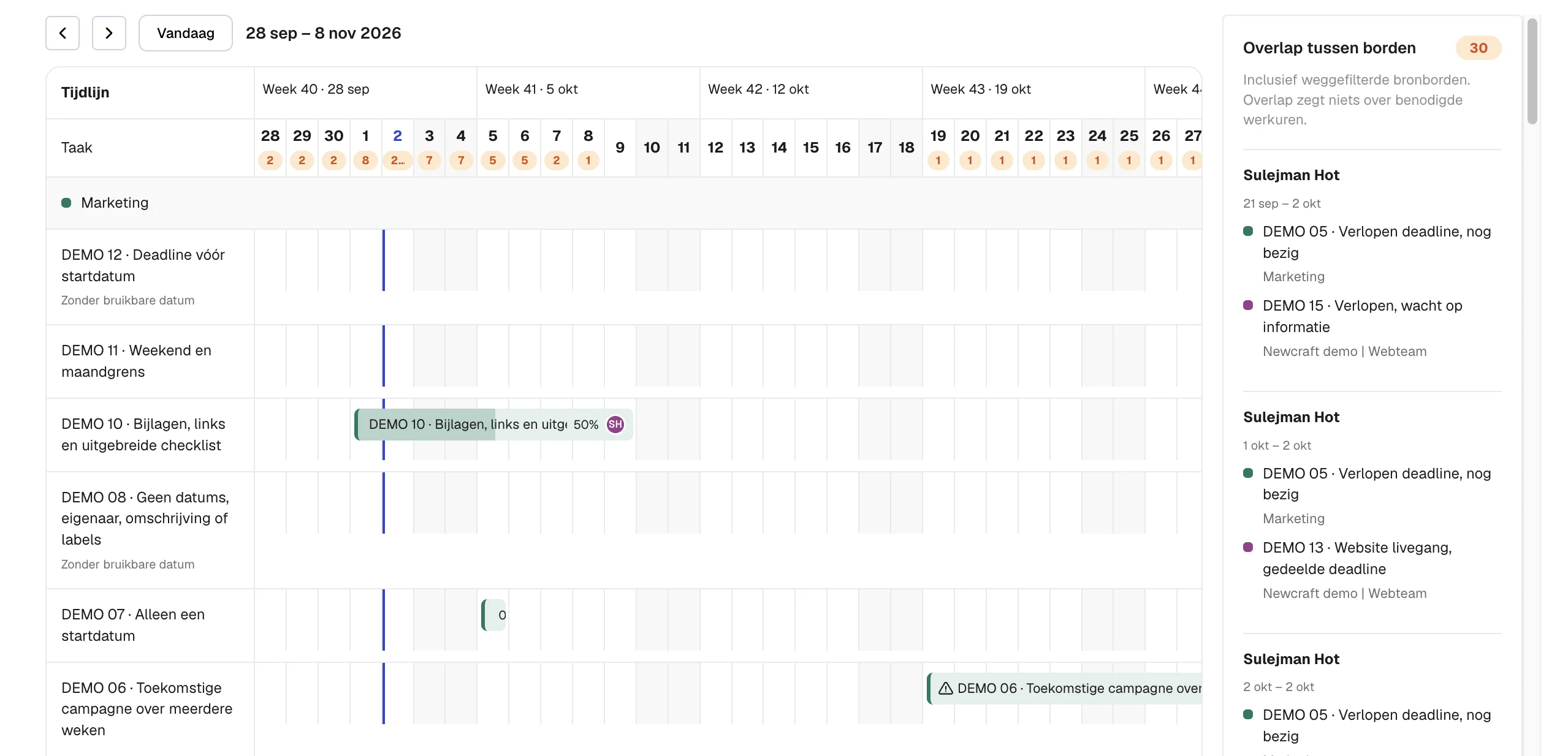
You pay per number of boards, with unlimited users: €99 per month for 5 boards, €149 for 10 and €299 for unlimited. Considering a portfolio? Read what Planner portfolios need first. Want one colleague’s work across plans? See all tasks assigned to someone across plans.
Sources
- Microsoft Planner plans and pricing, Microsoft (US prices and features per license, October 2026)
- Frequently asked questions about Microsoft Planner, Microsoft Support
- Manage multiple plans with portfolios in Microsoft Planner, Microsoft Support
- Message Center MC1193421, announcement of the retired features